
Why this becomes a problem
Remote VM management fails at the worst moment if it depends on the host being healthy. When a kernel hangs, a boot device fails or networking is misconfigured, the VM API disappears with it. Consumer remote-desktop tools cannot enter firmware setup or power-cycle a host that is off. Traditional BMC interfaces solve that problem but are frequently isolated, vendor-specific and too powerful to expose broadly.
How VMBook approaches it
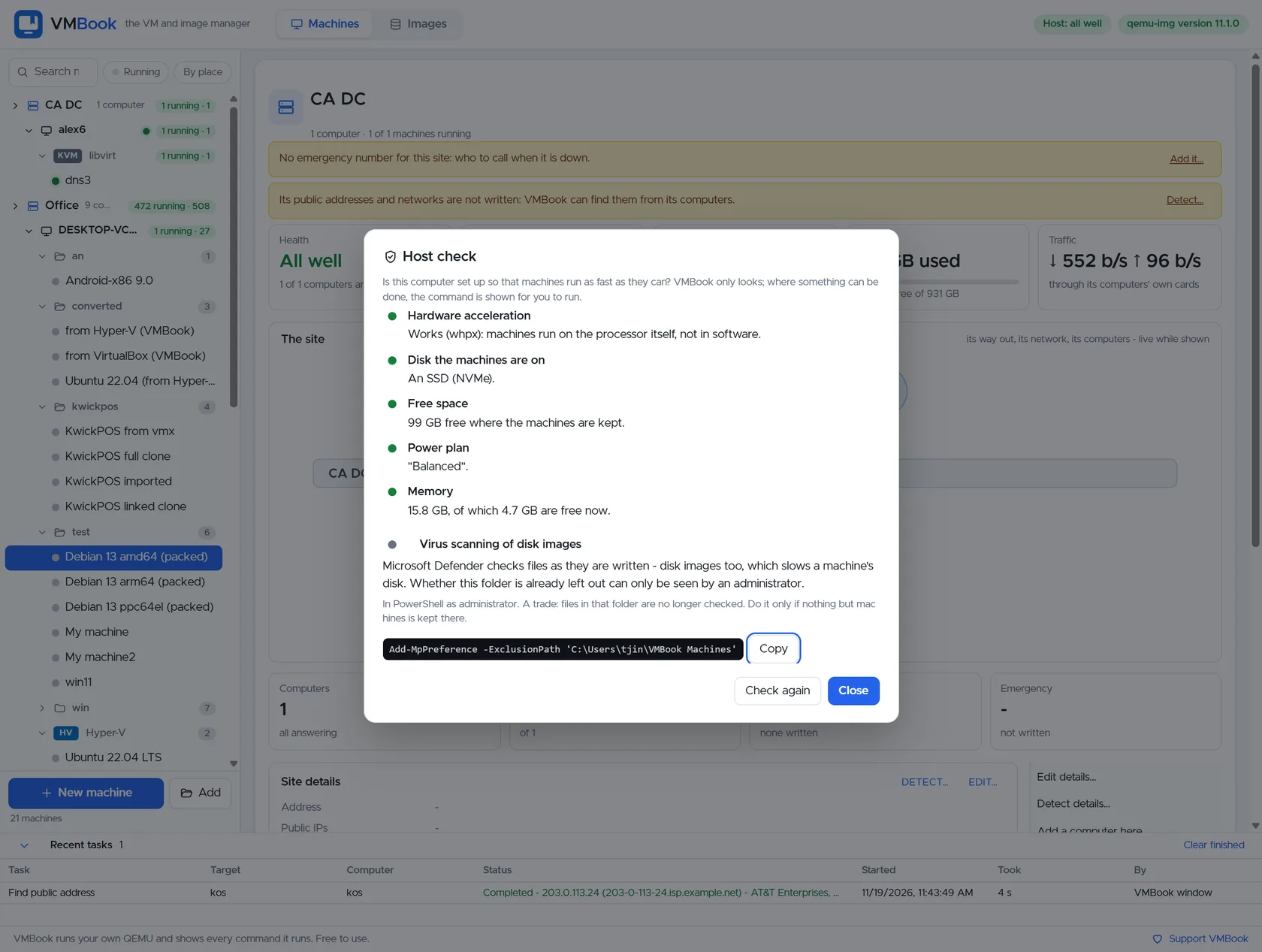
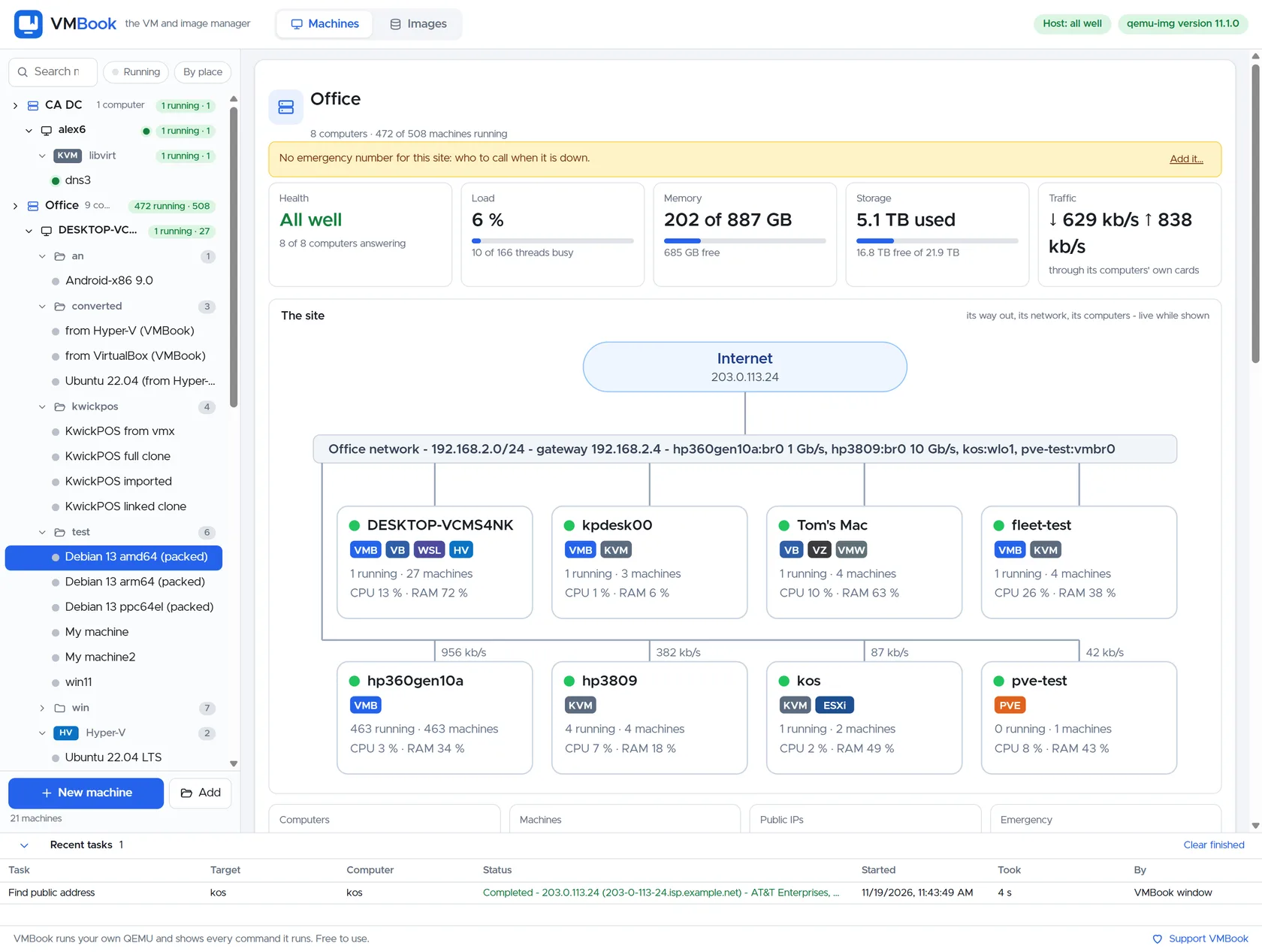
VMBook models the computer as the owner of its platforms and machines, so a future BMC/Redfish connection belongs to that computer rather than to an individual guest. Normal lifecycle actions remain with QEMU, Hyper-V, libvirt, ESXi or Proxmox. Out-of-band actions can be reserved for an explicit host-recovery path, with the operator seeing the affected machines before changing physical power.
Recommended workflow
- Put every BMC on a dedicated management network or protected VPN.
- Change factory credentials and install trusted certificates where the hardware supports them.
- Discover Redfish service roots and inventory with a read-only account first.
- Map the BMC identity to the correct VMBook computer and verify serial number or asset tag.
- Require a separate confirmation for chassis power actions because every guest on the host is affected.
- Test recovery during a planned maintenance window and record the route when the primary network is unavailable.
Limits and checks
VMBook 0.1 does not claim completed public BMC automation or delegated Redfish roles. Never expose a BMC directly to the public internet. Vendor Redfish coverage differs, and a forced chassis reset can corrupt every running guest. Use vendor firmware guidance and preserve a manual recovery procedure.
Primary documentation
Frequently asked questions
What problem does this guide solve?
BMC and Redfish manage the physical computer below the hypervisor. VMBook manages sites, computers, platforms and virtual machines above it. A resilient remote workflow needs both layers: guest controls for normal work and out-of-band host controls when the operating system or hypervisor no longer answers.
How does VMBook help?
VMBook models the computer as the owner of its platforms and machines, so a future BMC/Redfish connection belongs to that computer rather than to an individual guest. Normal lifecycle actions remain with QEMU, Hyper-V, libvirt, ESXi or Proxmox. Out-of-band actions can be reserved for an explicit host-recovery path, with the operator seeing the affected machines before changing physical power.
What should I verify before using it?
VMBook 0.1 does not claim completed public BMC automation or delegated Redfish roles. Never expose a BMC directly to the public internet. Vendor Redfish coverage differs, and a forced chassis reset can corrupt every running guest. Use vendor firmware guidance and preserve a manual recovery procedure.

