
In practice
What VMBook implements
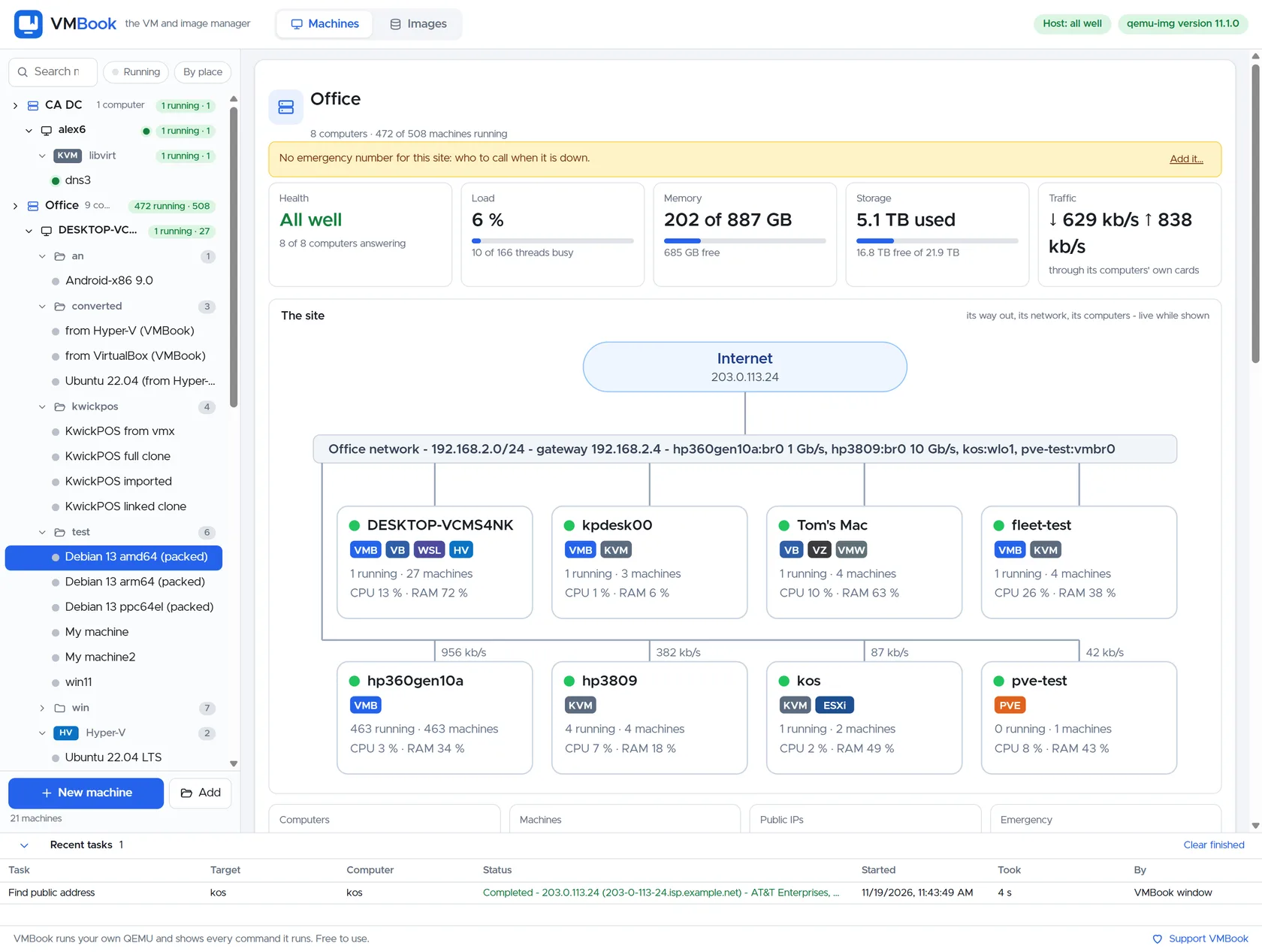
VMBook exposes fleet state, host usage, placement information and recent events through controlled API and MCP tools. This capability is kept inspectable: VMBook shows the machine or image state involved and leaves the underlying QEMU operation visible.
From list to operating picture
Fleet state combines sites, computers, platforms, machines, capacity and recent events. Host usage and placement information help an operator compare destinations before a new workload is assigned.
AI-readable, human-governed
MCP can read the same state for analysis, but a suggested placement is not automatic proof of production suitability. Maintenance state, storage locality, network reachability, provider limits and recovery ownership still belong in the decision.
Failure-aware design
A lost management link does not request that running guests stop. Remote sites retain local responsibility while the central view reports the evidence it can currently obtain.
Evaluate it
Next step for Fleet State and Placement
Review the tested systems for evidence related to Fleet State and Placement, then use the free build in an isolated environment with copies of the images involved in your test.