Hypervisor comparison · 2026 decision guide

Compare the hypervisor—and everything required to keep its VMs alive.

CPU execution is only the first line of the contract. A production platform must also own devices, storage, networks, migration, failure decisions, recovery and updates. This guide compares those responsibilities without inventing a universal winner.

Architecture and capability references reviewed 24 November 2026 · no synthetic result on this page is a universal product ranking

A useful comparison names the layer.

“Which hypervisor is best?” usually combines four different purchases: an execution engine, a machine and device model, host management, and a cluster or cloud operating platform. They may arrive in one product, or from several projects and vendors.

KVM is a Linux kernel virtualization API, not a complete private cloud. QEMU can construct and emulate a machine and use KVM as an accelerator. ESXi is a bare-metal hypervisor and host system, while vSphere adds a broader operating model. Hyper-V places Microsoft’s hypervisor below a privileged Windows root partition. Nutanix AHV is delivered inside an integrated HCI platform. Xen is a type-1 hypervisor with a privileged control domain and is packaged into products such as XCP-ng.

Rows of physical server racks representing the infrastructure beneath virtual machines
Editorial context, not test evidence. This Pexels photograph illustrates physical infrastructure only. It is not a VMBook deployment, product screenshot, compatibility record or hypervisor benchmark.

The four-layer ledger

Do not credit the hypervisor for work performed elsewhere.

01

Execution

Run guest CPU and isolate memory. Examples include KVM, VMkernel, the Microsoft hypervisor and Xen.

02

Machine model

Present firmware, buses, storage and network devices, timers, graphics and guest-visible CPU features.

03

Host management

Define VMs, allocate resources, connect storage and networks, expose consoles and coordinate lifecycle actions.

04

Platform operations

Provide inventory, policy, cluster state, scheduling, fencing, backup, upgrades, identity and support.

Comparison rule: write the exact product or component responsible for every required outcome. A blank cell is a design task, not a free feature.

Type 1

Bare-metal path

The hypervisor executes at the host’s privileged layer. ESXi and Xen are clear examples. Hyper-V is also type 1 when enabled: the Windows management OS runs in the root partition above the hypervisor.

  • Often packaged for server lifecycle and cluster operations
  • Does not automatically guarantee better drivers, HA or lower latency
  • Still depends on firmware, device, storage and management layers

Type 2

Hosted path

A hosted product runs through a general-purpose host OS, as VirtualBox normally does. It is often a natural fit for individual labs, developer desktops and portable local VMs.

  • Host OS owns much of the physical device support
  • Desktop usability is not evidence of weak CPU virtualization
  • Host updates and contention become part of the VM boundary

Why the label is insufficient: Linux KVM lives in the kernel while QEMU commonly supplies the userspace machine. On Windows, a desktop UI can use WHPX and Microsoft’s hypervisor. On macOS, software can use Hypervisor.framework. Compare the real path, not the appearance of the window.

Hypervisor comparison matrix

KVM, ESXi, Hyper-V, AHV, Xen and VirtualBox—without collapsing unlike layers.

This chart describes common 2026 deployment models. Exact editions, supported hardware and features change; validate against the linked primary documentation and your intended version.

Logos identify products and related platforms only; inclusion does not imply affiliation, endorsement, certification or tested interoperability. All marks belong to their respective owners. Proxmox VE is a KVM-based platform example discussed by the operating-model guidance, not an additional hypervisor engine column.

Decision areaQEMU/KVM + libvirtESXi / vSphereMicrosoft Hyper-VNutanix AHV platformXen / XCP-ng stackVirtualBox
Execution modelLinux KVM acceleration; QEMU machine/device modelType-1 VMkernelType-1 hypervisor with root partitionAHV on bare metal within Nutanix HCIType-1 Xen with control domainHosted desktop hypervisor
Natural managerlibvirt, virt-manager, direct QEMU or a KVM platformESXi host plus vCenter/vSphere toolingHyper-V Manager, PowerShell, Windows Admin Center, SCVMM or Azure LocalPrism and Nutanix platform servicesXAPI/XCP-ng and Xen Orchestra in that distributionVirtualBox GUI, CLI and API
Device modelQEMU; virtio plus configured emulated or passed-through devicesVMware virtual hardwareVMBus synthetic and selected emulated devicesAHV virtual hardware and guest integrationPV, PVH or HVM model and product driversVirtualBox virtual hardware and Guest Additions
Architecture reachBroad QEMU emulation; KVM acceleration depends on compatible host/kernelVendor-supported server architecture and hardware matricesMicrosoft-supported host and guest combinationsNutanix-supported platform combinationsDepends on Xen product and toolstackSupported desktop host/guest combinations
Live migrationQEMU/libvirt when CPU, storage, network and device contracts permitvMotion workflows in the VMware platformLive Migration in supported host/cluster designsIntegrated AHV migration and scheduling workflowsAvailable through selected Xen/XCP-ng stackNot a cluster live-migration platform
HA ownershipMust be supplied and tested by the selected cluster stackvSphere HA with required platform dependenciesFailover Clustering / selected Microsoft platformIntegrated Nutanix cluster servicesProduct/toolstack dependentOutside its normal scope
Storage modelFile, block, network or platform-selected distributed storageDatastores and selected VMware/storage stackWindows/cluster storage designsAOS distributed storage integrated with platformStorage repositories and selected backendLocal or host-accessible desktop storage
Commercial modelOpen components; engineering and optional product/support costs remainCommercial subscription/support termsWindows and selected management/platform licensingCommercial integrated platform licensing/supportOpen components plus selected product/support modelBase product and extension/support terms vary
Evaluate whenOpen Linux stack, custom platform or broad QEMU architecturesEstablished VMware estate and enterprise integrationsMicrosoft-centered Windows infrastructureIntegrated HCI/private-cloud operating modelOpen Xen server platformIndividual desktop labs and portable VMs

“Available” is not the same as configured, supported or failure-tested. Use this matrix to create a shortlist, then apply the test contract below.

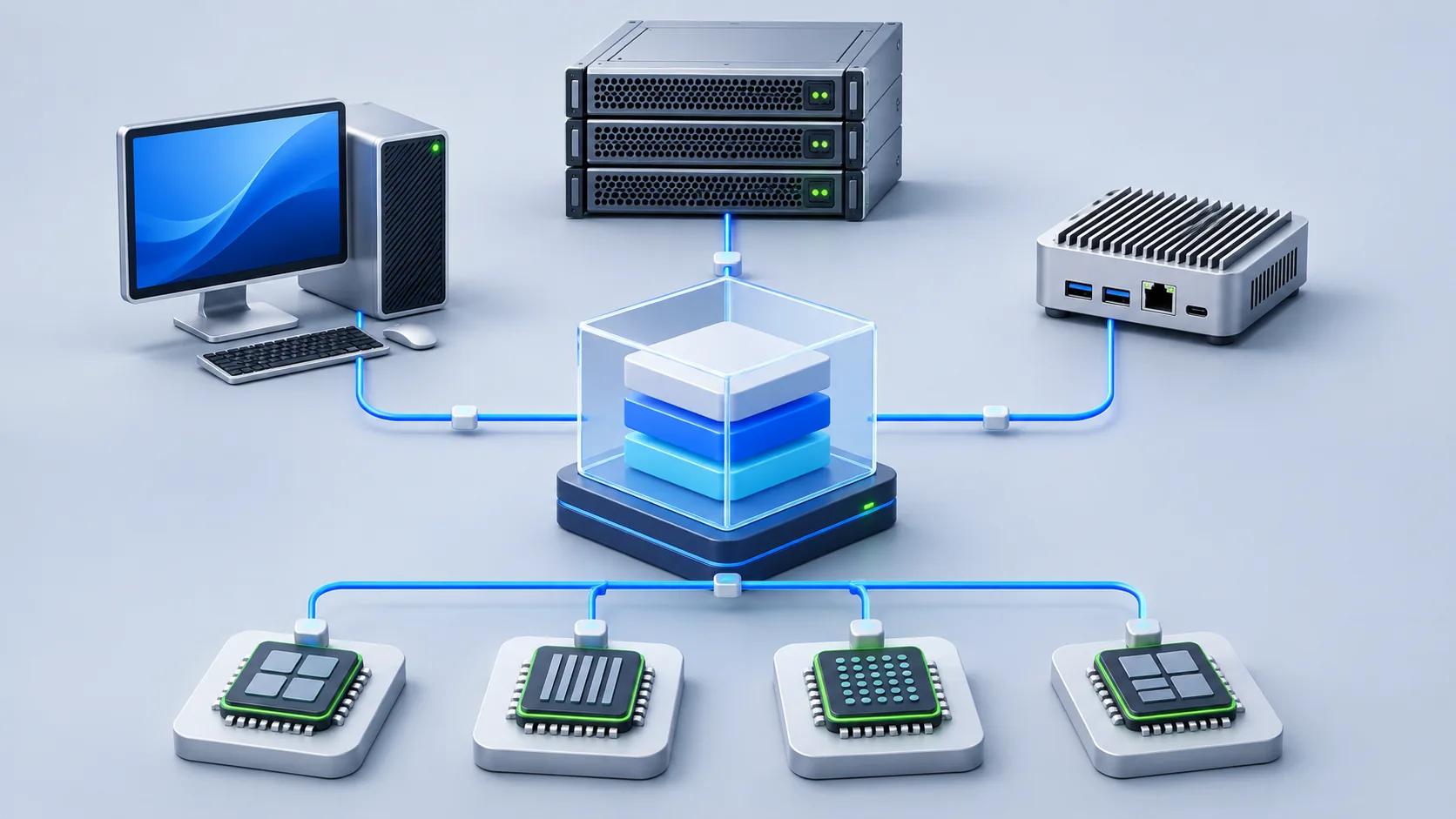
Diagram of different host and guest CPU architecture paths
QEMU’s system emulation reach is broader than a same-architecture hypervisor comparison; acceleration depends on the host and selected path.

A boundary buyers often miss

QEMU is not another name for KVM.

The Linux KVM API exposes /dev/kvm and ioctl interfaces for creating VMs and virtual CPUs. QEMU builds what the guest sees: CPU model, memory map, firmware connection, buses, disks, network cards, graphics, timers and devices.

KVMLinux kernel API and hardware-assisted execution on a compatible host.
QEMUSystem emulation, machine/device models, migration state and management interfaces.
AcceleratorsKVM on Linux, WHPX on Windows, HVF on macOS, Xen in its environment, or TCG translation.

TCG is a different execution path, not a “slow KVM mode.” It can translate another CPU architecture, normally at substantial cost versus matching-architecture hardware acceleration. Likewise, a readable qcow2 file does not make CPU, firmware, controller, network and policy contracts portable.

Read the QEMU versus KVM architecture guide →

Publish a test contract, not a winner.

No responsible comparison can declare one hypervisor universally fastest. Results depend on workload, versions, security mitigations, CPU topology, NUMA placement, storage path, virtual devices, guest drivers, host load and tuning.

Retain raw data, configs and timestamps. Report median and tail behavior, not just the highest run.

Phase 1 · control

Hold the machine contract constant

  • Same host, firmware and power policy
  • Same guest build and security state
  • Equivalent vCPU, memory and NUMA layout
  • Equivalent virtual storage and NIC classes
  • Document every unavoidable difference

Phase 2 · isolate

Measure subsystems separately

  • CPU throughput and latency
  • Memory bandwidth and tail latency
  • Storage IOPS, latency, flush and CPU cost
  • Network throughput, pps and latency
  • Boot-to-service and console responsiveness

Phase 3 · disturb

Test degradation and recovery

  • Run with realistic consolidation
  • Remove a storage and network path
  • Cold-fail a host during writes
  • Measure service readiness, not VM start
  • Restore to different hardware
SubsystemRecordReject the run when
CPUThroughput, p95/p99 latency, steal/wait and frequencyTopology, thermal state or mitigation differs
StorageIOPS, bandwidth, latency distribution, flush semantics and host CPUCache or durability policy is not equivalent
NetworkThroughput, packet rate, latency, loss, MTU and CPUOffloads, vNIC or physical route differs
LifecycleBoot-to-service, migration pause, application recovery and restore timeOnly a UI status or process start is timed

Performance is a scoped observation: publish exact versions, hardware, configuration, workload and uncertainty. A successful boot is not a benchmark, compatibility certification or availability result.

Hypervisor cost comparison

Calculate the operating system, not only the license.

Vendor bundles, metrics and editions change. Use current dated quotes for procurement and preserve currency, discount assumptions, core counts and renewal model. A durable comparison exposes the cost equation.

three-year platform cost = licenses/subscriptions + support + hardware delta + storage/network software + backup/security + migration + training + operations + expected outage/recovery cost

Acquire

Subscriptions, support, host hardware, shared storage, switching and management services.

Adopt

Discovery, conversion, validation, parallel operation, training, documentation and change risk.

Operate

Monitoring, patching, upgrades, capacity, on-call work, backup tests and security response.

Recover

Fencing, spare capacity, replication, restore testing and the business cost of RTO/RPO misses.

Renew

Pricing metric changes, term increases, hardware compatibility and support lifecycle.

Exit

Exportable VM definitions, disk and backup history, driver replacement and policy reconstruction.

Availability is a decision system

Migration, high availability and disaster recovery are different tests.

Live migration moves a running workload under planned conditions. HA decides what to do after a failure. DR restores service across a larger failure domain. None proves the others.

Migration

Source remains available while memory, CPU and device state move to a compatible target.

High availability

A cluster detects failure, establishes authority and restarts or relocates service safely.

Disaster recovery

Protected data, configuration, identity and runbooks recover at a separate failure domain.

01

Detect

Establish what stopped responding and through which independent signal.

02

Agree

Use quorum or consensus to determine which side has authority.

03

Fence

Prove the old writer cannot reach disks or networks.

04

Recover

Choose a valid replica, host and policy.

05

Start

Recreate VM, storage and network contracts.

06

Verify

Test application service and data integrity.

07

Reconcile

Repair capacity and record why the event occurred.

Hard rule: never start a replacement merely because the original host is unreachable. Without fencing, an isolated old host may still write to shared storage; a second writer can turn an outage into corruption.

Security comparison

Count authorities and recovery paths.

A small privileged core can reduce attack surface, but the operational system also includes management servers, APIs, root/control domains, storage agents, plugins, guest tools, firmware and backup credentials.

  1. Inventory trust boundaries. Identify every component that can define, start, console, migrate, snapshot or export a VM.
  2. Measure privilege. Check separation of duties, MFA, scoped service identities and auditable emergency access.
  3. Inspect isolation. Review device passthrough, IOMMU, virtual switching, management networks and tenant separation.
  4. Test lifecycle. Verify signed updates, security advisories, supported upgrade paths and rollback limits.
  5. Protect recovery. Keep immutable or isolated backups and prove credentials survive a control-plane compromise.

Shortlist by operating model

Start with ownership, not a brand leaderboard.

Desktop hosted

Useful when one operator owns the host, local device integration and portable labs matter, and automatic cluster recovery is outside scope.

Modular KVM

Useful when Linux operations are strong, open interfaces matter, and the team will explicitly own storage, networking, scheduling, fencing and support.

Integrated enterprise

Useful when a supported lifecycle, consistent cluster operations and consolidated vendor responsibility justify product and migration costs.

Xen stack

Useful when Xen/XCP-ng skill or compatibility already exists and the selected toolstack, storage and support satisfy the operating contract.

Where VMBook fits

A provider-aware manager—not another hypervisor type.

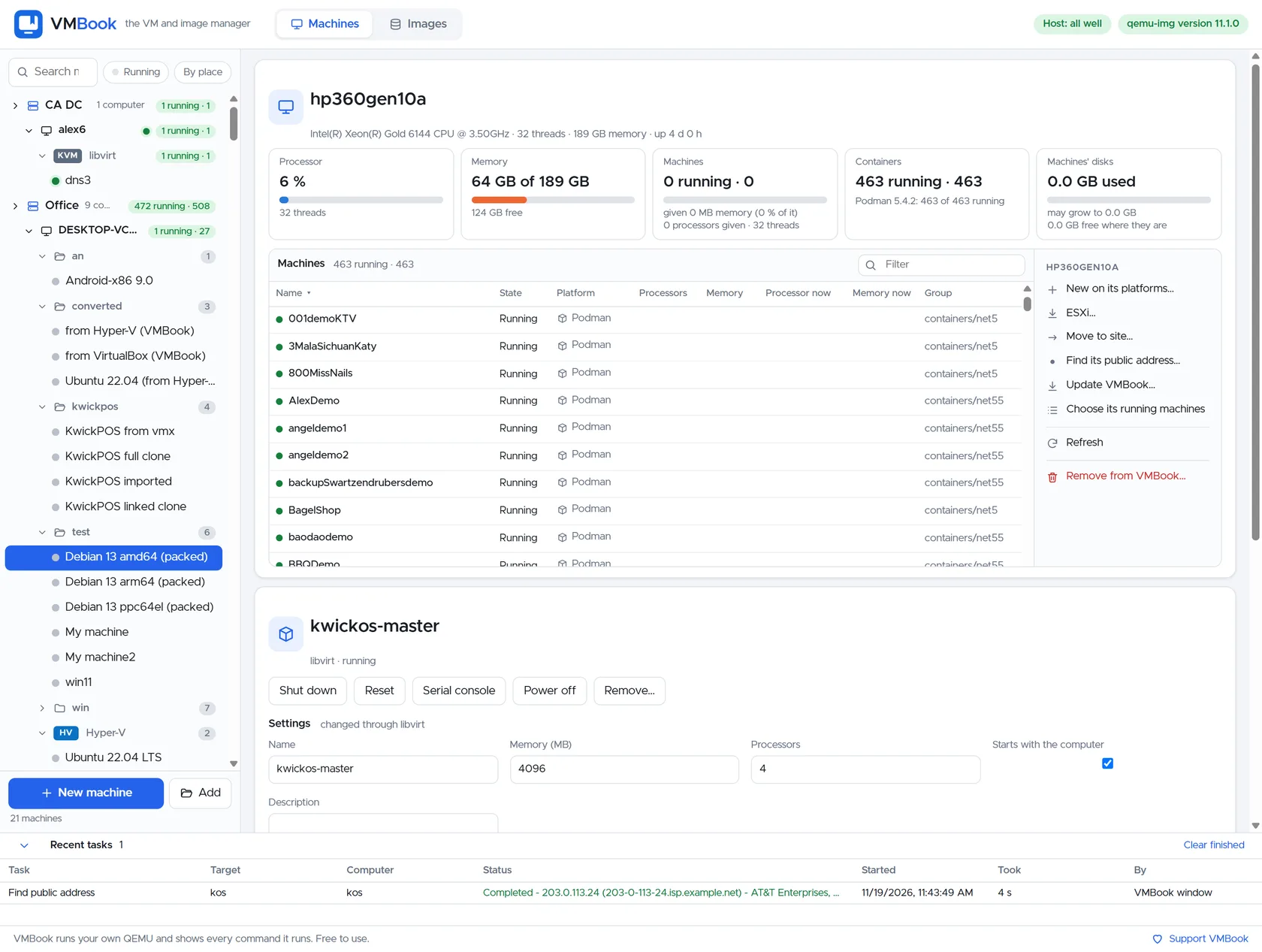
VMBook preserves provider ownership while bringing machines, images and fleet context into one view. An ESXi machine remains ESXi-owned. A Hyper-V VM remains Hyper-V-owned. A libvirt domain remains under libvirt. A VMBook QEMU definition exposes its composed machine command.

That is useful during a mixed transition because inventory does not pretend to make unlike providers interchangeable.

Explore the VM manager See recorded compatibility

VMBook interface showing a large mixed-provider virtual machine inventory

Current build 1.0.0 scope

  • VMBook-owned QEMU machines and composed commands
  • KVM and eligible WHPX acceleration paths
  • Native-provider inventory and bounded delegated actions
  • Disk inspection, conversion, backup and remote fleet context
  • Scoped QEMU/KVM Linux migration direction

Not claimed today

  • Mature automatic HA, quorum or fencing authority
  • Distributed storage or DRS-class scheduling
  • vMotion/vSphere, AOS/Prism or Flow parity
  • Universal cross-provider live migration
  • A benchmark proving VMBook faster than these platforms

Thirty-day proof

Make the shortlist survive four weeks of evidence.

WEEK 1 · CONTRACT

Inventory

Record guests, CPU/firmware, controllers, networks, storage, backup, identity and hard compatibility gates.

WEEK 2 · LOAD

Measure

Run the controlled subsystem and application tests. Preserve raw data and explain every exception.

WEEK 3 · CHANGE

Operate

Patch, snapshot, back up, migrate, add capacity and test permissions using normal operators.

WEEK 4 · FAILURE

Recover

Witness fencing and host-failure recovery, restore elsewhere, time application readiness and complete TCO.

Frequently asked questions

Hypervisor comparison FAQ

What is the best hypervisor in 2026?

There is no universal winner. The defensible choice depends on guest compatibility, operating model, storage and networking, required availability, support, staff skill and complete cost. Use mandatory gates and a reproducible pilot instead of a generic ranking.

Is KVM a Type 1 or Type 2 hypervisor?

The label hides an important division of work: KVM makes the Linux kernel part of the hardware-assisted execution path, while userspace software such as QEMU constructs the machine and devices. Compare that actual architecture instead of deciding from the label alone.

Are QEMU and KVM the same thing?

No. KVM supplies the Linux kernel virtualization API and hardware-assisted execution path. QEMU supplies system emulation and machine and device models; it can use KVM, WHPX, HVF, Xen or TCG depending on the host and workload.

Is Hyper-V a Type 1 hypervisor on Windows 11?

Yes when Hyper-V is active, Microsoft places its hypervisor below the root and child partitions. The management experience still looks like an ordinary Windows application, which is why interface appearance is a poor architecture test.

Is a Type 1 hypervisor always faster than Type 2?

No. Results depend on CPU topology, mitigations, memory locality, storage path, virtual devices, guest drivers, host load and tuning. Architecture labels do not replace a controlled workload test.

How should I compare ESXi with KVM?

Define the complete stacks first. ESXi is normally evaluated with vCenter and related VMware services; KVM needs a named QEMU, libvirt or platform layer plus storage, networking, HA, backup and support. Then test the same guest contract and failure cases.

How should I compare Nutanix AHV with VMware ESXi?

Compare operating platforms, not only instruction execution. Include Nutanix AOS and Prism on one side and the selected VMware management, storage, networking and recovery stack on the other, with dated commercial quotes.

Which hypervisor is cheapest?

A low or zero license price does not establish the lowest three-year cost. Include hardware, storage, networking, backup, security, migration, support, training, operator time, renewal exposure and expected recovery cost.

Can VMBook replace vCenter, Prism or a production cluster manager?

Not today. VMBook build 1.0.0 is a provider-aware VM, image and fleet manager; it does not claim mature automatic HA, quorum and fencing, distributed storage, or vCenter and Prism feature parity.

Can I move the same VM disk between hypervisors?

A readable disk format is only one dependency. CPU model, firmware, controllers, guest drivers, network identity, secrets, filters, snapshots and lifecycle policy also have to be recreated and tested.