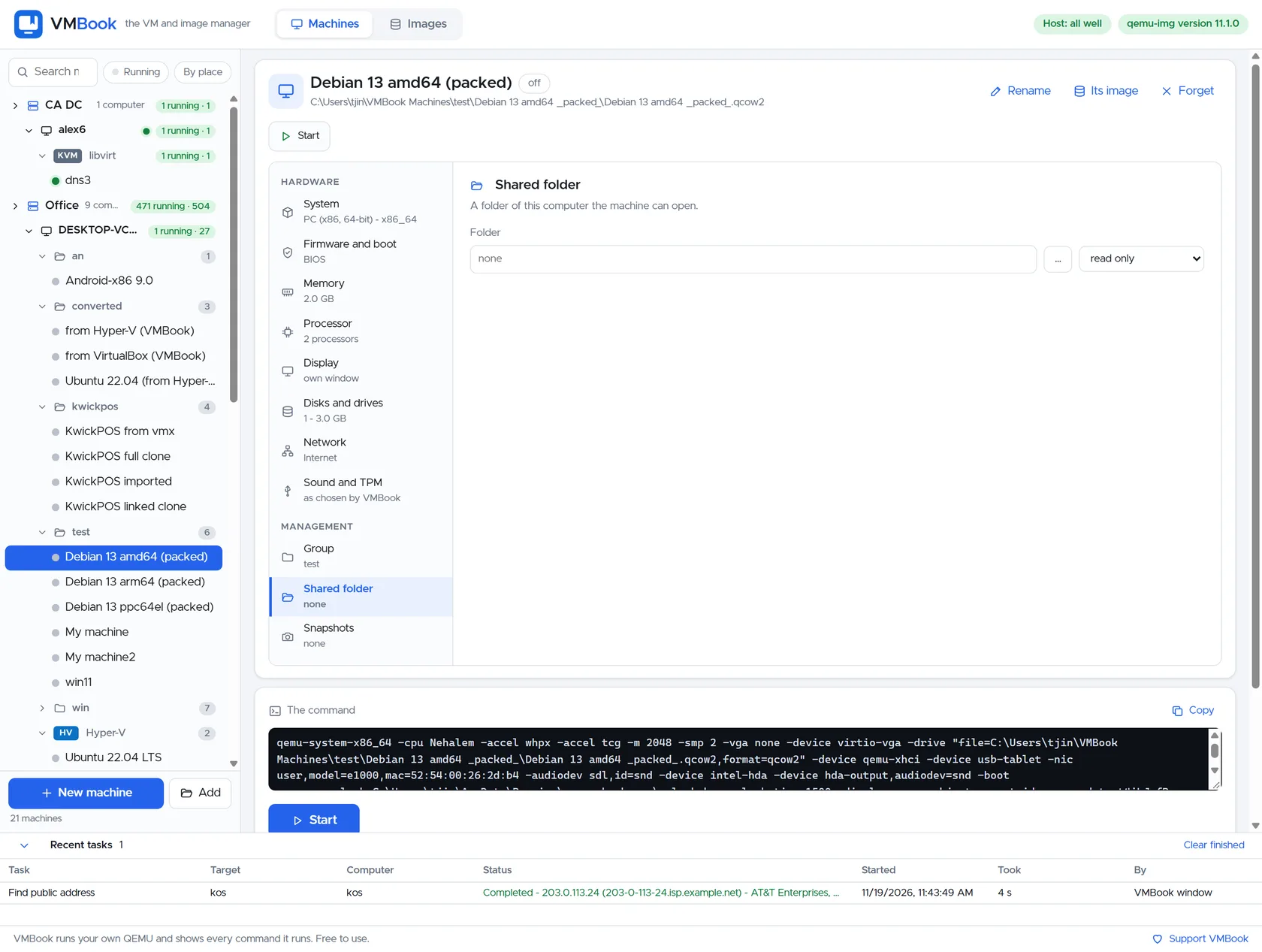
A QEMU GUI should show you the computer it is about to build.
VMBook composes the processor, board, firmware, disks, network and display into a QEMU command you can inspect. Use WHPX on an eligible Windows 11 guest, KVM on Linux, or explicit TCG translation when host and guest architectures differ.
Visible QEMU commandQEMU installed separatelyProvider ownership retainedTest evidence published
Real VMBook interface · the machine owner and composed command remain visible.
Six decisions behind Start
The window is only the last layer.
A graphical front end earns trust by keeping the machine contract explainable.
Architecture
An x86 PC, AArch64 virt board and RISC-V machine expect different processors, boards and boot chains. A .qcow2 extension does not identify the guest architecture.
Execution path
Name KVM, WHPX, HVF or TCG explicitly. Hardware-assisted virtualization and cross-architecture instruction translation are useful for different jobs and should never share one ambiguous speed badge.
Firmware and board
BIOS, UEFI, OpenSBI, board revision and firmware variables can be persistent guest identity. Preserve them with the definition and backup.
Disks and controllers
Show image format, backing chain, allocation, guest-visible controller and active users. Conversion changes a storage container; it does not install drivers or prove the guest boots.
Network and devices
Separate the guest-visible adapter from its NAT, private-switch or bridge backend. Apply the same discipline to graphics, sound, serial and input devices.
Console and lifecycle
The viewer is not the machine process. Detach and reconnect without turning a closed window into an accidental power operation; retain serial evidence when graphics fails.
Virtualized or translated
Make the accelerator a statement, not a guess.
Host and guest
Likely path
What still needs proof
Linux · matching supported architecture
KVM
Kernel, firmware and service identity can access KVM.
Windows · matching supported architecture
WHPX
The Windows feature and installed QEMU build expose WHPX.
macOS · matching supported architecture
HVF where implemented
Packaging, entitlement, hardware and guest combination.
Different guest architecture
TCG
Board, firmware, devices and acceptable translated performance.
QEMU defaults to TCG when no accelerator is selected. VMBook exposes its generated choice so an unavailable fast path does not become an unexplained slow guest.
Plan the host before the guest.Editorial Pexels scene used for context only—not a VMBook screenshot, compatibility result or performance benchmark.
Windows 11 · WHPX
Do not begin by dismantling Hyper-V and WSL2.
Modern Windows may already use the Microsoft hypervisor for Hyper-V, WSL2, Windows Sandbox or virtualization-based security. VMBook targets Windows Hypervisor Platform for eligible QEMU guests while those native workloads retain their own owners.
Confirm VT-x or AMD-V in firmware policy.
Enable Windows Hypervisor Platform.
Verify the installed QEMU lists whpx.
Read the generated command for -accel whpx.
Boot a known same-architecture guest first.
Measure the actual workload, not accelerator startup alone.
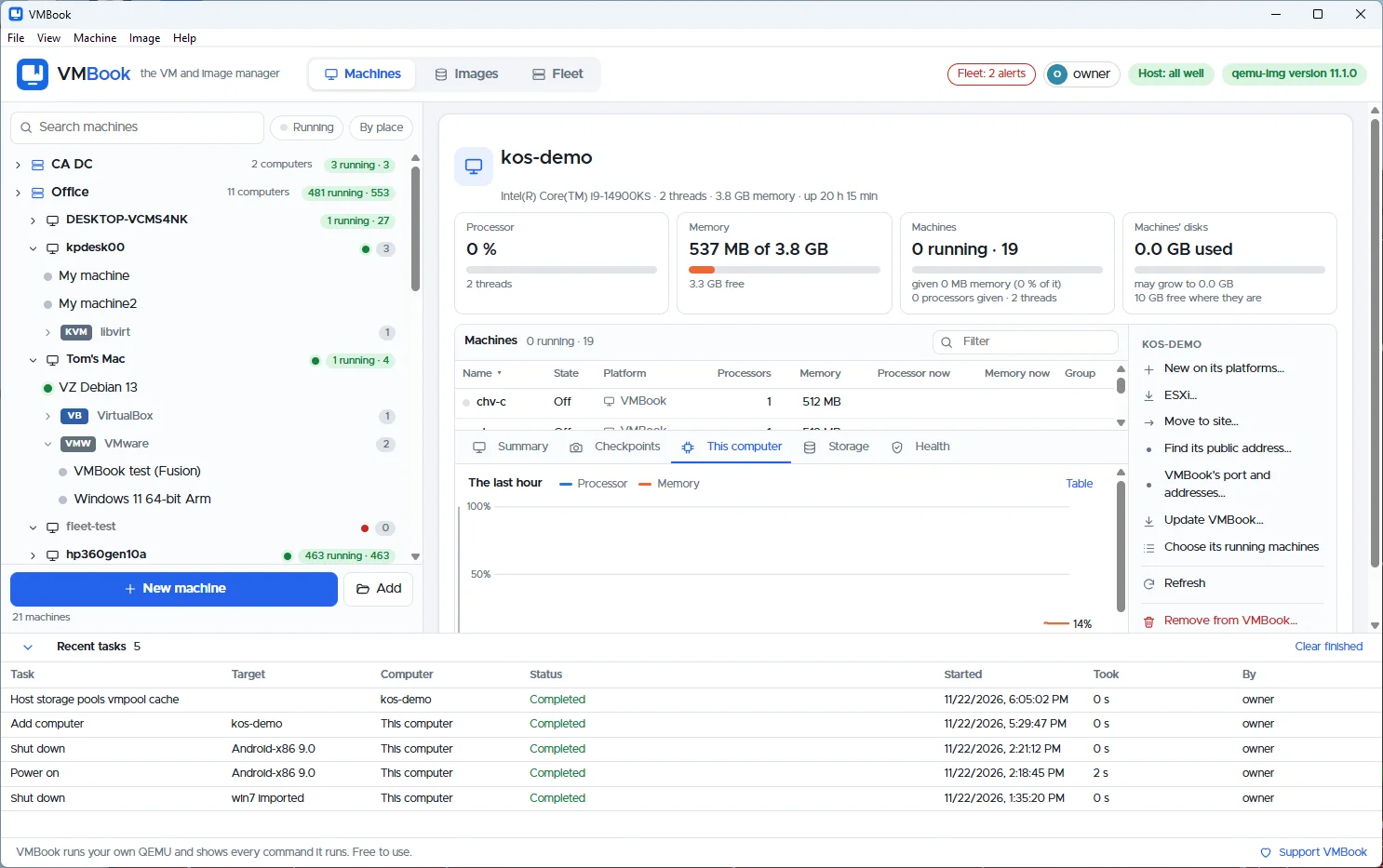
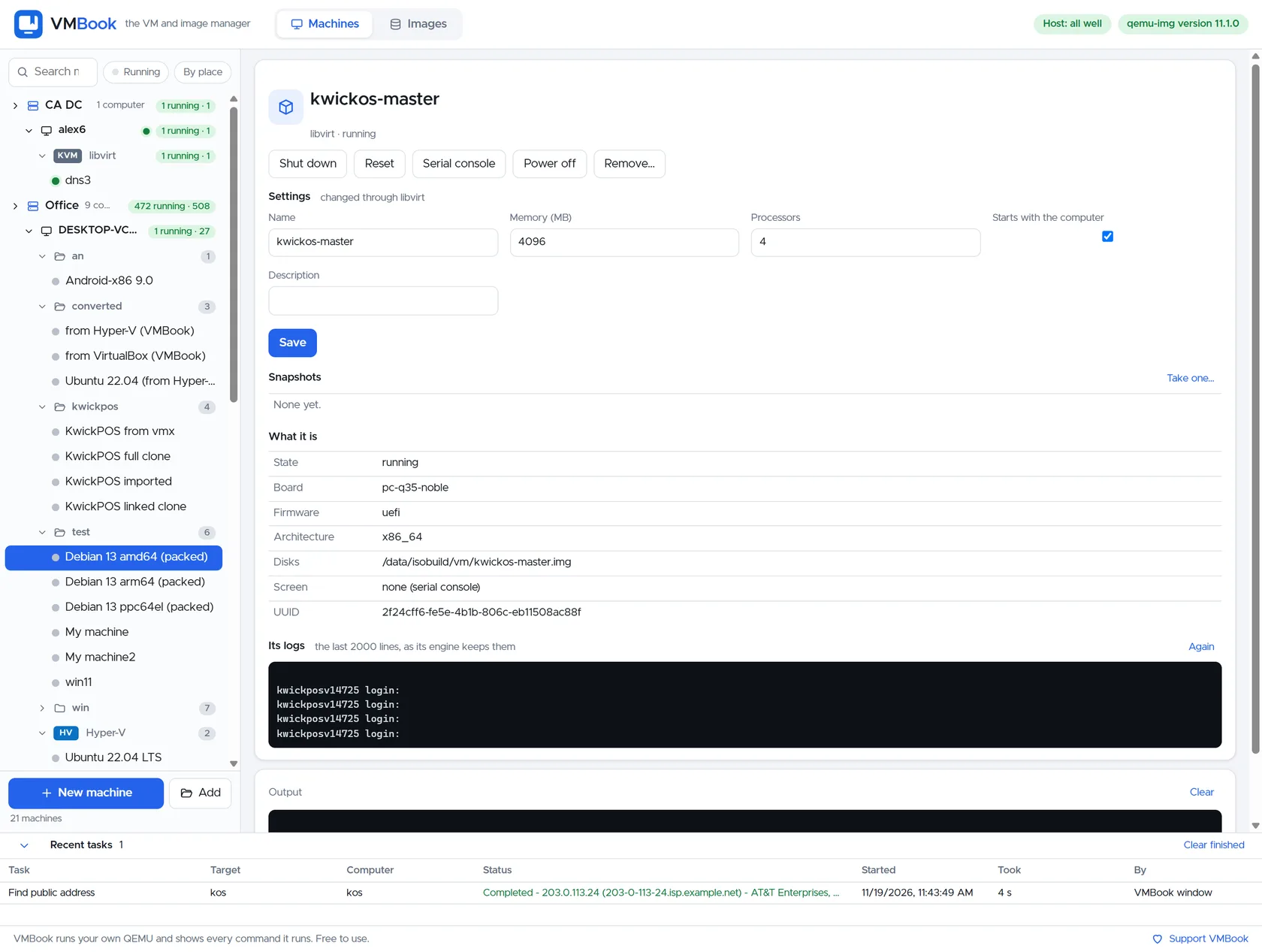
Real interface · QEMU, Hyper-V and WSL keep different ownership on one Windows computer.Real interface · a libvirt domain remains libvirt-owned.
Linux · KVM or libvirt
Choose the definition owner before choosing the GUI.
VMBook can compose its own QEMU/KVM machine or discover an existing libvirt domain and return supported actions to libvirt. In the second case, XML, pools, networks and advanced devices remain native.
virt-manager is the established desktop interface for libvirt, with native creation, hardware configuration and VNC/SPICE viewing. Use it for deep libvirt work. Use VMBook when that Linux provider must remain visible beside Windows, images, remote sites and other engines.
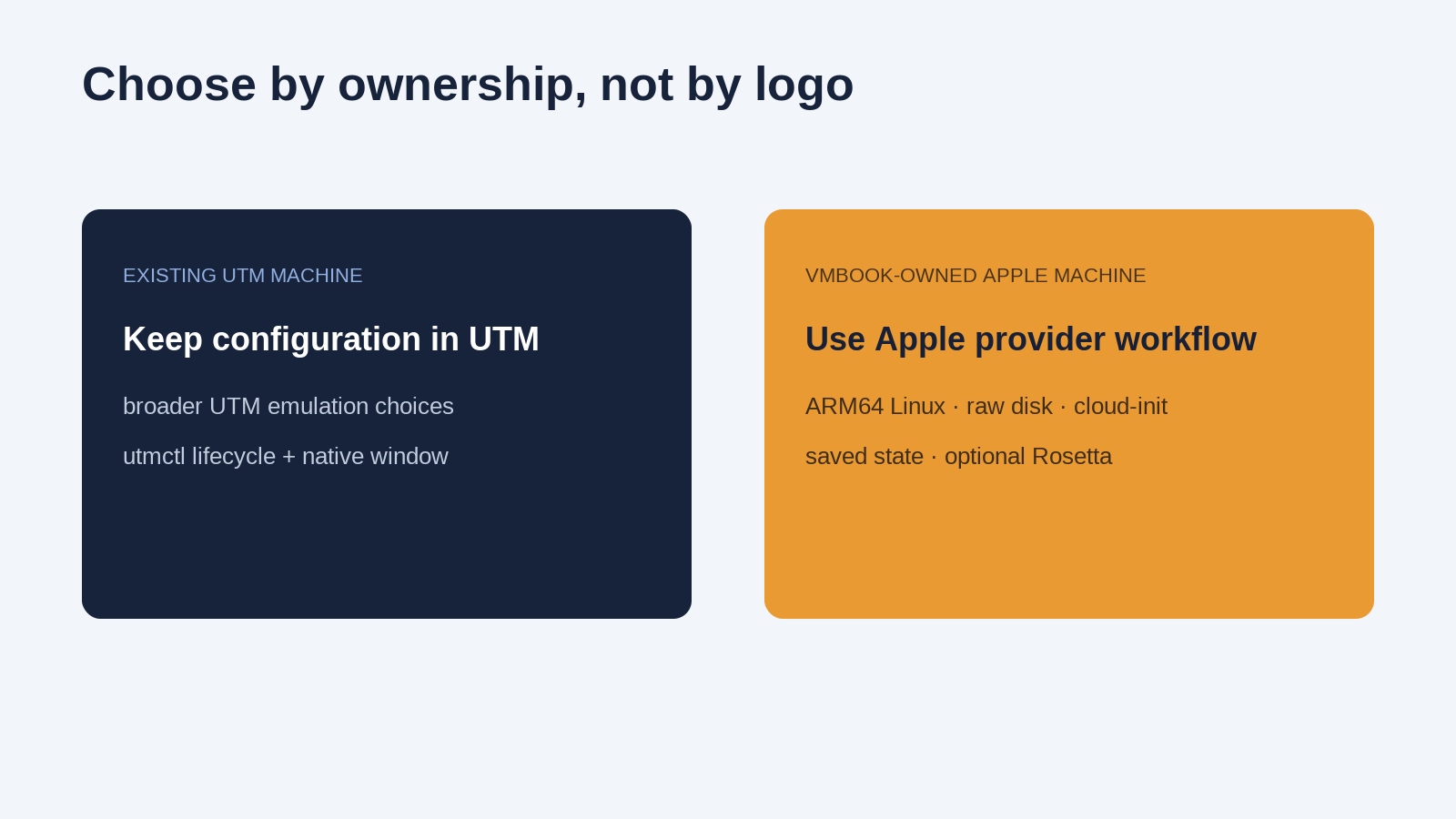
UTM is an established QEMU-based system emulator and virtual machine host for Apple platforms. Existing UTM bundles, settings and native display should remain UTM-owned.
VMBook implements bounded UTM discovery and lifecycle actions plus a separate Apple Virtualization direction. Its current UTM path hands display back to UTM and exposes no VMBook UTM settings or snapshot surface. Signed public macOS packaging and named-hardware validation remain in progress.
Architecture diagram · provider choice, not a conversion or parity claim.
Ownership map
Which QEMU interface fits this job?
Hyper-V is a Microsoft product; virt-manager and UTM are independent projects. Their names and marks belong to their respective owners and are shown only to identify interoperating or compared platforms. No QEMU logo is reproduced here, and no endorsement or affiliation is implied.
QEMU command line
Direct control and native GTK, SDL, Cocoa or remote display options. You own every option and artifact.
virt-manager
Deep libvirt/KVM administration on Linux, including XML-backed devices, pools, networks and console workflows.
UTM
Mature QEMU and Apple-platform experience on Mac and iOS, with UTM retaining the machine bundle.
VMBook
Visible QEMU composition plus images, remote computers and a wider provider-aware fleet without silent takeovers.
Before pressing Start
A ten-point QEMU machine review
Identify the guest architecture.
Select and verify the accelerator.
Match board and firmware.
Inspect the complete disk chain.
Choose controllers the guest can drive.
Name each network path.
Keep graphical or serial recovery access.
Read the complete generated command.
Boot an isolated copy first.
Test shutdown, backup and restore.
Implemented now
VMBook-owned QEMU definitions and visible commands.
Windows 11 WHPX and Linux KVM paths.
Selected cross-architecture guest profiles and evidence.
Image inventory, conversion, inspection and backup workflows.
Graphical and serial console paths.
Native identity for Hyper-V, WSL, libvirt, Proxmox, ESXi and UTM.
Keep these limits visible
VMBook does not bundle QEMU; installed build capabilities differ.
TCG support is not a native-speed promise.
macOS packaging and named-hardware validation remain incomplete.
UTM keeps current settings, snapshots and native display.
No current automatic HA, distributed storage or DRS-class scheduling claim.
Remote-screen encoding still has published optimization work.
Practical questions
QEMU GUI FAQ
Does QEMU have its own GUI?
QEMU builds can provide display backends such as GTK, SDL, Cocoa, VNC, SPICE-related modes, D-Bus and text modes. Those display a guest and selected runtime controls; a separate manager can add persistent definitions, image workflows, inventory and remote operation.
Is VMBook a QEMU GUI?
Yes for VMBook-owned QEMU machines: it stores a machine definition, composes a visible QEMU command, starts the process and connects lifecycle, console and image workflows. Provider-owned Hyper-V, libvirt, Proxmox, ESXi and UTM objects keep their native ownership.
What is the best QEMU GUI for Windows 11?
There is no universal winner. Test whether the tool preserves required Windows features, supports the guest architecture and devices, exposes its accelerator and fits the image workflow. VMBook targets QEMU through WHPX while retaining Hyper-V and WSL2 ownership.
Can QEMU use Hyper-V acceleration?
QEMU can use Windows Hypervisor Platform through its WHPX accelerator when the Windows feature, QEMU build and host/guest combination permit it. WHPX is not Hyper-V Manager and does not convert a QEMU machine into a native Hyper-V VM.
Is KVM part of QEMU?
KVM is a Linux kernel virtualization interface. QEMU supplies the userspace machine and device model and can use KVM to execute supported matching guest instructions efficiently.
Can a QEMU GUI run ARM or RISC-V on an x86 PC?
QEMU can emulate other architectures through TCG when the installed build contains the target. The GUI must also provide a coherent board, firmware and devices. Translation can be substantially slower than matching-architecture virtualization.
Is VMBook an alternative to virt-manager?
It can own separate QEMU/KVM machines and complement libvirt inventory. virt-manager remains the direct choice when full libvirt XML, pools, networks and devices are central; VMBook leaves discovered libvirt domains owned by libvirt.
Is VMBook an alternative to UTM on macOS?
Not as an unqualified current claim. UTM is an established Apple-platform QEMU application. VMBook can request selected UTM lifecycle actions, but UTM retains its native display and configuration while VMBook macOS packaging remains under validation.
Does VMBook include QEMU?
No. VMBook expects a separately installed QEMU and exposes the command it composes, so the execution package and its targets, devices and accelerators remain independently inspectable.
Technical ownership
Evidence before adjectives.
Technical owner: Tom Jin Applies to: VMBook build 1.0.0 Reviewed: 24 November 2026
Product captures demonstrate interface implementation. Architecture diagrams explain boundaries. Neither substitutes for a compatibility test on the exact host, QEMU build and guest.
If the answer is VMBook, inspect the generated QEMU command and test a disposable guest. If the answer is libvirt, UTM, Hyper-V or another provider, keep that owner visible and use its native configuration path.