
Do you need a desktop GUI, a persistent headless host, a remote fleet view—or a production cluster with quorum, fencing and shared storage? All four are called “KVM management,” but they assign authority very differently.
From one quiet host to a remote site
Small hardware does not make the operating model small.
A mini-PC can be a useful KVM host, but the manager still needs an explicit owner, durable service identity, protected remote route and recovery record. Several boxes do not become a high-availability cluster merely because one screen lists them together.
Read the mini-PC cluster reality check →Four different jobs
Choose the operating responsibility before the interface.
Configure a libvirt VM
virt-manager is the established desktop GUI when libvirt owns domains, networks and storage pools.
Keep guests running
The Linux service or libvirt daemon—not a viewer window—must own execution and return after reboot.
Preserve identity and stale state
A remote manager needs authenticated hosts, scoped actions, console policy and failure-aware inventory.
Coordinate failure recovery
Quorum, fencing, replicated or shared storage and safe automatic restart are more than a KVM web UI.
Responsibility matrix
A shared KVM foundation does not make four managers equivalent.
| Decision | Direct QEMU | virt-manager + libvirt | VMBook | Proxmox VE |
|---|---|---|---|---|
| Durable owner | Operator’s command and files | libvirt domain XML | VMBook definition for native machines; libvirt remains owner for discovered domains | Proxmox VM and cluster configuration |
| Primary interface | CLI, QMP and selected viewers | Linux desktop GUI and libvirt tools | Desktop/browser fleet, images and provider-aware operations | Integrated server and cluster web interface |
| Remote path | Must be designed | libvirt remote URI and transport | Pinned VMBook API, optionally carried through SSH | PVE API and cluster services |
| Storage/network | QEMU backends plus host setup | libvirt pools, volumes and networks | VMBook image/private-network workflows; provider resources remain native | PVE storage, network and optional SDN model |
| Cluster HA | Not supplied | Not supplied by one libvirt connection | Not claimed in build 1.0.0 | Native platform responsibility when correctly configured |
| Best fit | Low-level, reproducible customization | Detailed Linux/libvirt administration | Mixed providers, images, architectures and remote sites | Standardized Linux virtualization clusters |
This is an ownership comparison, not a speed ranking. CPU, devices, storage, NUMA, kernel and workload determine performance.
Ubuntu and Linux readiness
Validate the service identity—not only the package installation.
VMBook publishes Debian 13 host evidence. Ubuntu belongs to the intended Linux/systemd path, but each Ubuntu release, kernel, QEMU package, AppArmor policy and machine workload still needs local evidence before it is called tested.
First determine whether the mismatch is qemu:///system versus qemu:///session, a modular libvirt socket, filesystem access, authorization or mandatory access control.
Host readiness record
Run observations under the identity that will operate the service.
uname -als -l /dev/kvmqemu-system-x86_64 --versionvirsh -c qemu:///system list --allvirsh -c qemu:///session list --all- Record OS, kernel, CPU and firmware virtualization state.
- Record QEMU, firmware and selected acceleration.
- Name the libvirt URI and service identity.
- Verify image directories, AppArmor and networking.
- Prove reboot persistence, console access and restore.
KVM web interface security
A browser creates a management plane; it does not secure the other planes automatically.
Who can ask?
Restrict the listener to a private management route, verify the remote computer’s identity and scope every credential. VMBook pins the service’s TLS public key before sending its token.
Where can packets go?
NAT, TAP, libvirt networks, VMBook private segments, bridges, VLANs and provider overlays have different trust and routing consequences.
Who can see and type?
A console can reveal boot menus, encryption prompts and customer data. Broker a bounded session rather than exposing permanent unauthenticated VNC.
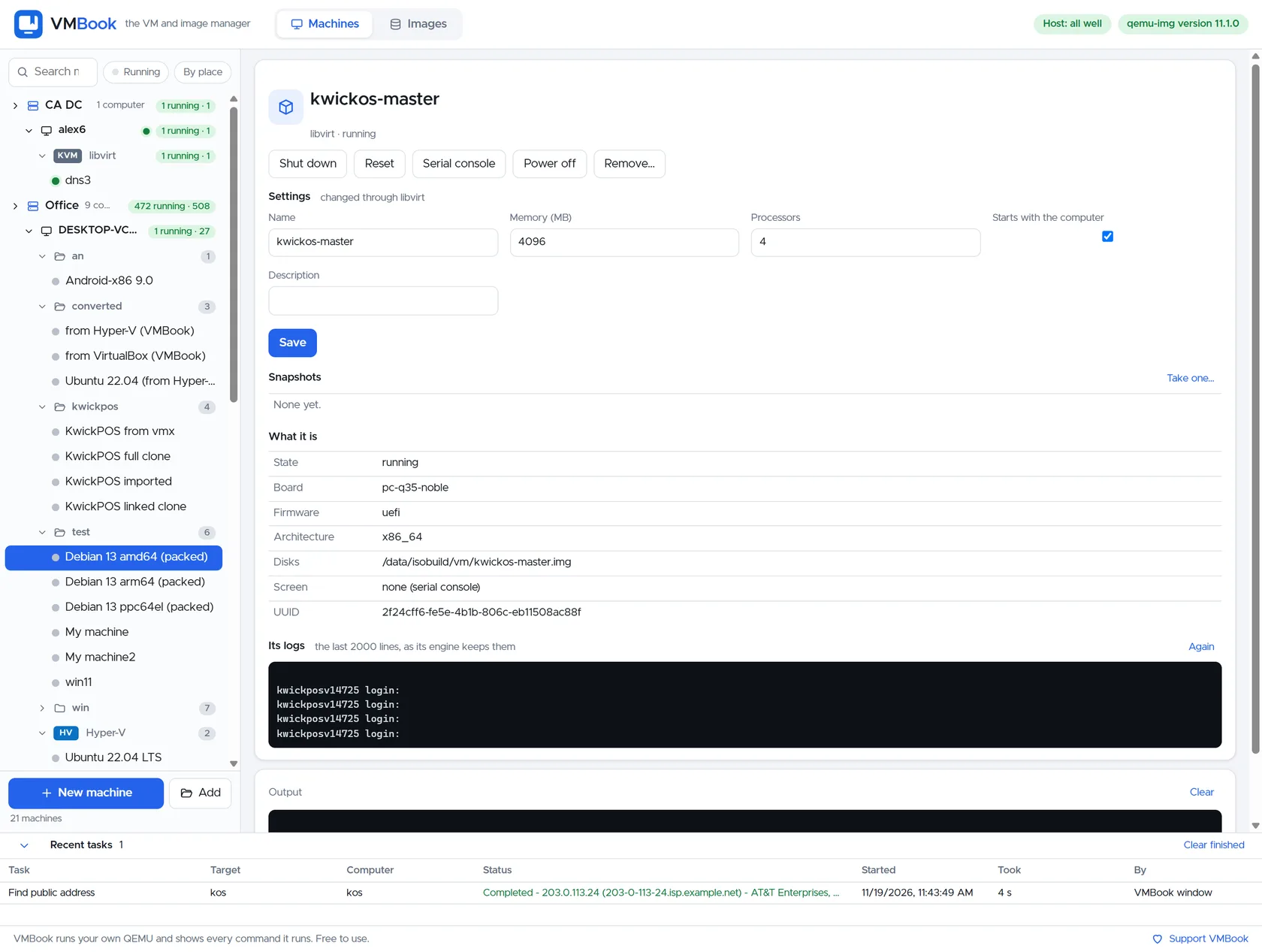
VMBook ownership model
VMBook-owned QEMU/KVM machine
VMBook stores the definition and composes the visible QEMU command. Architecture, acceleration, firmware, images, networks and devices remain inspectable. Matching Linux guests can use KVM when the host exposes and permits it; other architectures can use QEMU translation without a native-speed claim.
Native provider model
libvirt-owned domain
VMBook discovers the domain through libvirt and returns supported lifecycle requests to that provider. virsh, virt-manager and XML-aware automation remain authoritative for advanced domain, network and pool settings outside VMBook’s implemented surface.
Remote onboarding drill
Break the management path before trusting it.
Begin with one disposable guest. The exercise should prove ownership, identity, interrupted-action behavior and recovery—not merely a successful first login.
- Name the owner
Record native ID, definition, disks, networks and provider.
- Validate locally
Use the intended service identity, KVM path and exact libvirt URI.
- Protect the route
Restrict listeners; verify SSH and the inner VMBook TLS pin independently.
- Operate one test VM
Exercise start, graceful shutdown and console; reconcile with native tools.
- Disconnect control
Confirm the guest continues and the host remains represented as unreachable.
- Reconcile before retry
A timeout may hide a completed request; refresh native state first.
- Prove recovery
Restore a backup as a new isolated machine and verify application data.
- Expand narrowly
Add snapshot, storage, create or force permissions one at a time.
Failure notebook
“Not found” often means “different authority.”
virt-manager sees the VM; VMBook does not
Compare the exact libvirt URI and operating-system identity. A desktop session and a system service commonly see different inventories.
KVM exists, but the VM is slow
Verify the actual QEMU accelerator, architecture, CPU model, storage and network devices, memory pressure and NUMA locality. KVM CPU acceleration cannot make slow storage disappear.
The domain is visible, but its disk is unreadable
Inventory rights and storage rights are separate. Inspect pool type, backing chain, filesystem identity, mandatory-access-control labels and network-storage credentials.
Start works, but the console fails
Check whether VNC, SPICE or serial exists, where it listens and who can reach its socket. Do not expose raw VNC to make a browser connect.
The host disappeared during a network incident
Restore the route and read provider state before retrying. Management loss is not proof that the VM or the preceding request stopped.
Current VMBook evidence
Implemented or represented
- Visible VMBook QEMU machine commands and definitions.
- KVM for eligible matching-architecture Linux paths; TCG for translated paths.
- Named Debian 13 host evidence and x86-64 systemd service path.
- Provider-aware libvirt discovery and bounded lifecycle operations.
- Pinned remote service identity and optional SSH route.
- Fleet context, image tools, consoles, snapshots and backup paths.
- Bounded Linux-to-Linux migration for compatible VMBook QEMU/KVM guests.
Not claimed in build 1.0.0
Do not infer from the dashboard
- Every Ubuntu or Linux distribution tested.
- Complete libvirt XML, network and pool editor parity.
- Arbitrary remote shell, virsh or QEMU command execution.
- Automatic HA, quorum, fencing or distributed storage.
- DRS-class scheduling and reservations.
- Universal cross-provider live migration.
- OpenStack, Kubernetes or enterprise SSO parity.
Experience and evidence
Publish the exact combination—not “Linux supported.”
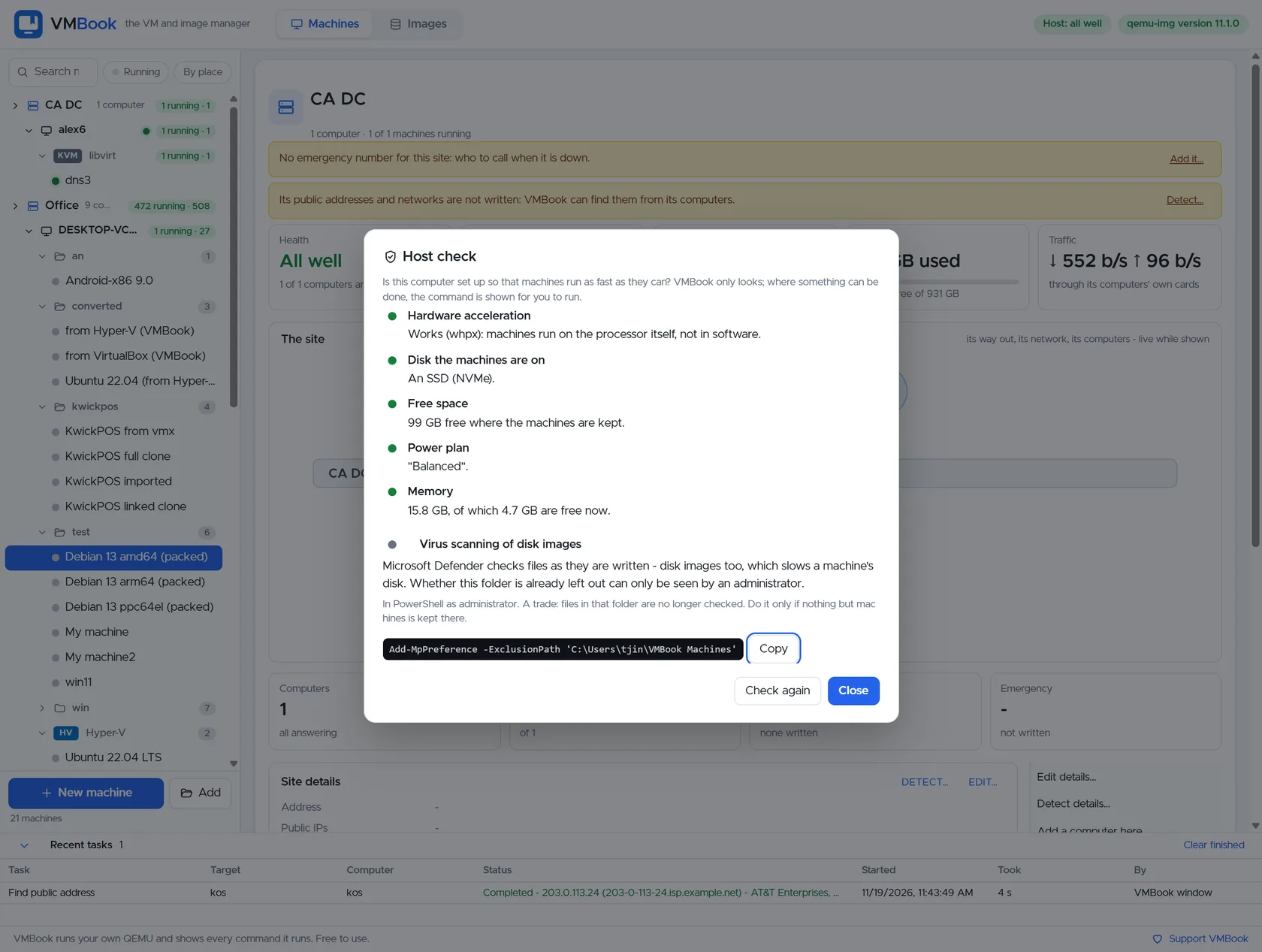
Compatibility evidence should name host OS, kernel, architecture, QEMU, accelerator, firmware, guest and test result. A screenshot proves the interface rendered; a boot record proves one machine reached a milestone; a restore drill proves a separate recovery claim.
KVM manager questions
Choose by authority, not by the number of buttons.
Is KVM a hypervisor or a virtual machine manager?
KVM is Linux kernel virtualization infrastructure. QEMU normally supplies the userspace virtual machine, while libvirt or another platform can provide durable definitions and management.
What is the best KVM manager for Ubuntu?
There is no universal winner. virt-manager fits direct desktop libvirt administration, Proxmox fits a dedicated cluster platform, and VMBook fits mixed providers, QEMU machines, images and remote sites. Validate the exact Ubuntu release and service identity.
Does VMBook replace virt-manager?
Not for every libvirt task. VMBook preserves libvirt ownership and delegates supported actions; use virt-manager, virsh or XML-aware tools for detailed native settings outside VMBook’s surface.
Does VMBook include KVM or QEMU?
No. KVM comes from the Linux kernel and VMBook uses separately installed QEMU tools. Versions, packages, firmware and permissions belong to the host.
Can I manage KVM VMs through a browser?
Yes, through a protected management service. Restrict the listener, verify host identity, scope permissions and broker console access; do not expose raw VNC or unauthenticated libvirt to the internet.
What is the difference between qemu:///system and qemu:///session?
They are different libvirt QEMU driver instances. They can contain different domains and use different identities, configuration, storage access and sockets.
Can VMBook manage a Proxmox KVM cluster?
VMBook can show and request bounded actions through its Proxmox provider, but Proxmox remains authoritative for quorum, HA, storage, SDN, migration and cluster history.
Does a KVM web interface provide high availability?
No. HA also requires membership, quorum, fencing, storage access, compatible destinations and tested restart policy. VMBook does not claim automatic HA in build 1.0.0.
Can a VM keep running when I close the manager?
Yes when execution belongs to a persistent host service or libvirt rather than the viewer. Test this with a disposable guest before relying on it.
Is a KVM snapshot the same as a backup?
No. A snapshot may remain tied to the source storage and backing chain. Prove backup by restoring an independent copy on an isolated machine.
Primary technical sources
Follow the projects that own each layer.
VMBook is a separate product and is not affiliated with or endorsed by these projects or vendors.