Take the controls before you take our word for it.
Walk through captured VMBook interfaces, then operate a browser-only UI simulation. No account, download or infrastructure connection is required, and simulated actions remain clearly separated from product evidence.
Choose a step. The image changes, but the operating rule remains visible: site, computer, provider and stable object identity come before a button.
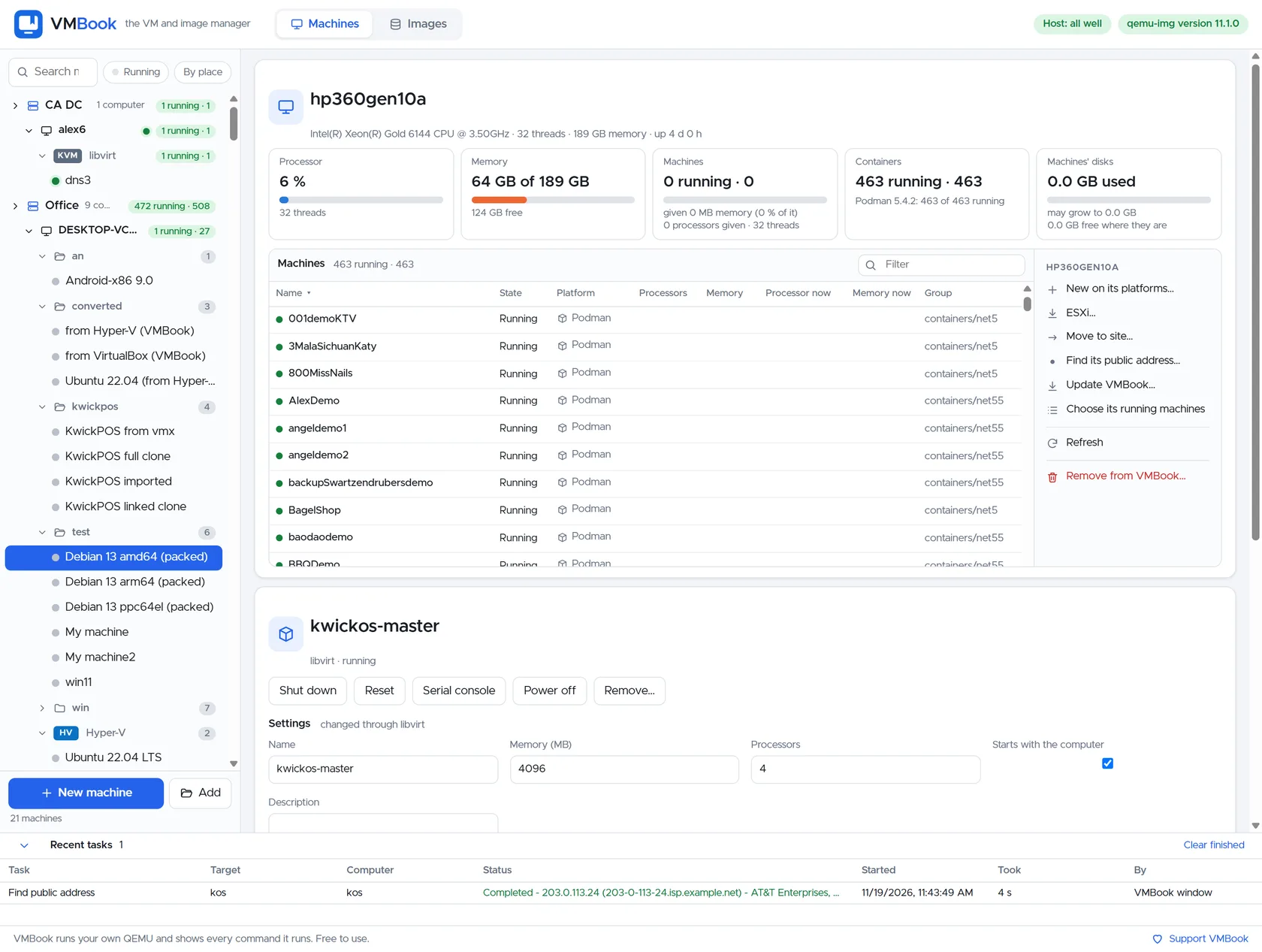
Real capture · mixed inventory remains attached to its computer and provider.
Fleet orientation
One view does not erase ownership.
Start by locating the site and computer, then read the provider badge. QEMU, Hyper‑V, ESXi, Proxmox, Nutanix and libvirt objects can share an operating view without becoming the same kind of machine.
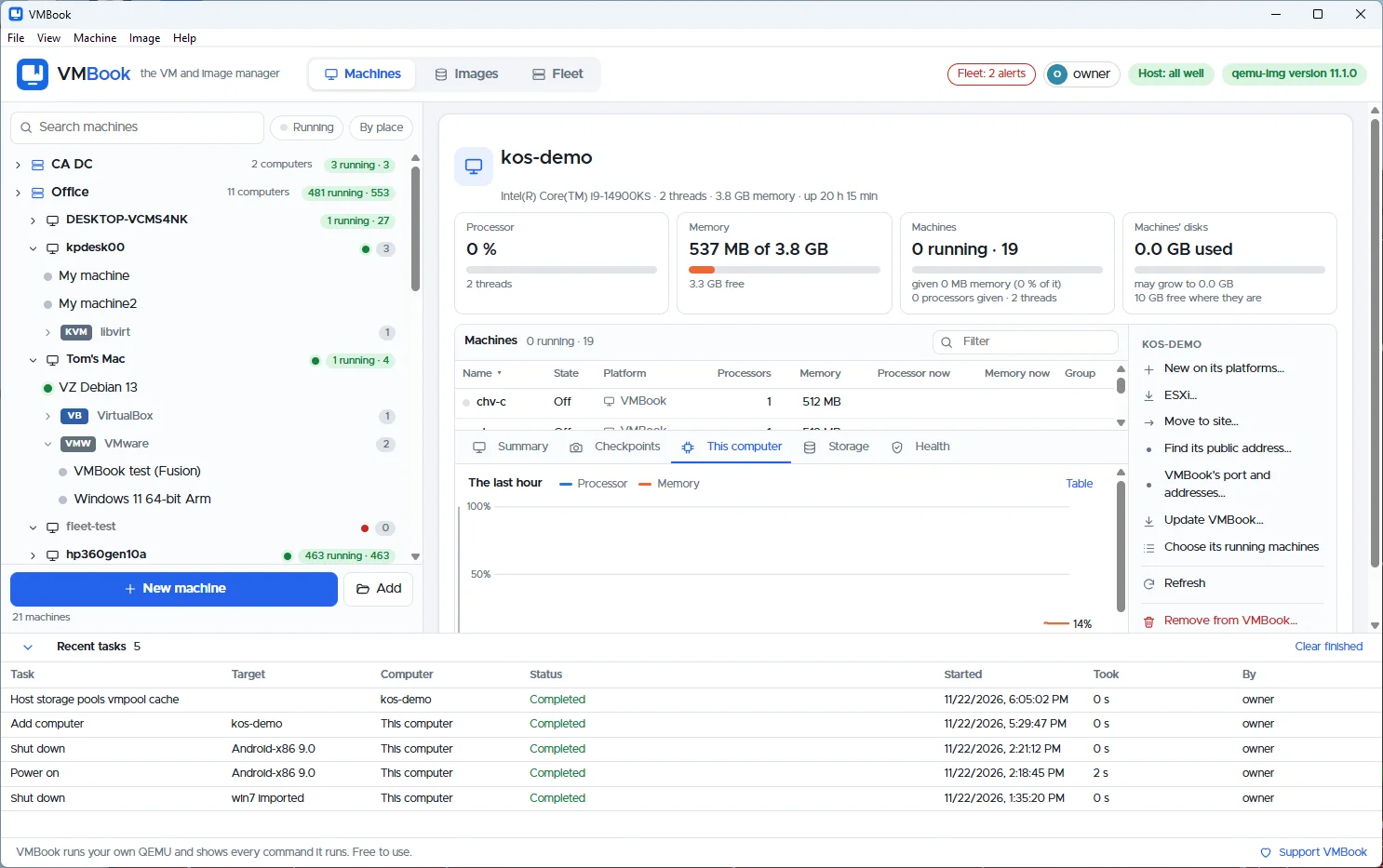
Real capture · computer context separates host facts from guest configuration.
Failure domain
A computer is more than a machine count.
Review reachability, host resources, providers, storage and site context before changing a guest. A stale fleet observation is not an authoritative local state.
Look for
Freshness, capacity, provider health and site
Do not infer
That a reachable controller proves every provider works
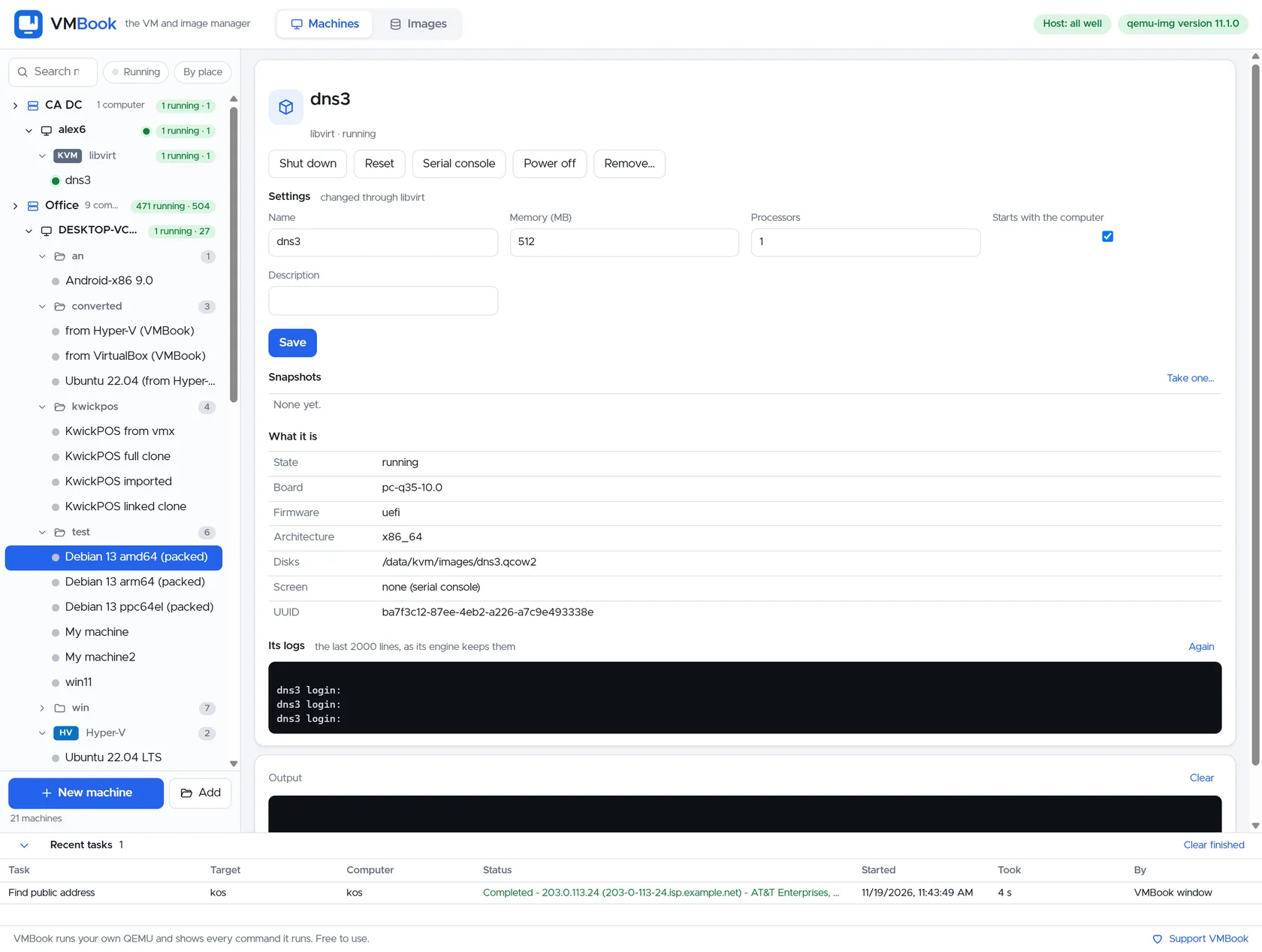
Real capture · lifecycle, screen and diagnostic context are adjacent but distinct.
Machine decision
State constrains the safe next action.
Refresh the selected machine, preserve provider ownership and prefer cooperative lifecycle operations. Reset and power-off are force actions, not faster versions of shutdown.
Look for
Current state, provider capability and recovery path
Do not infer
That command acceptance proves guest or application health
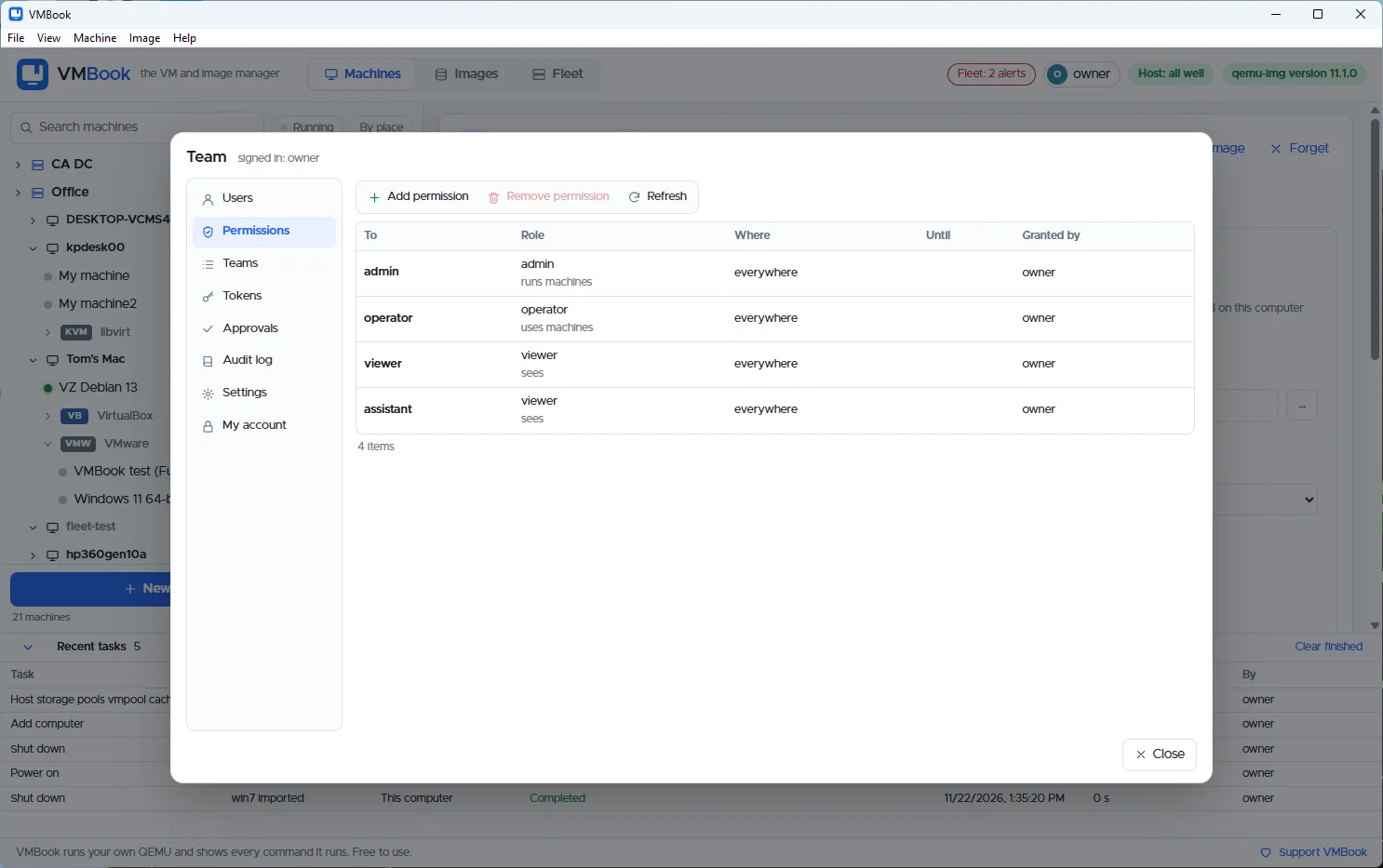
Real capture · a visible object is not proof of mutation authority.
Human and AI authority
Give the person or agent only the needed operation.
VMBook scopes Team and MCP rights by principal and infrastructure path. Two-person approval can reduce unilateral risk, while the host account and native provider remain separate authority layers.
Look for
Principal, scope, expiry, exception and approval
Do not infer
That a narrow VMBook role repairs an over-privileged host
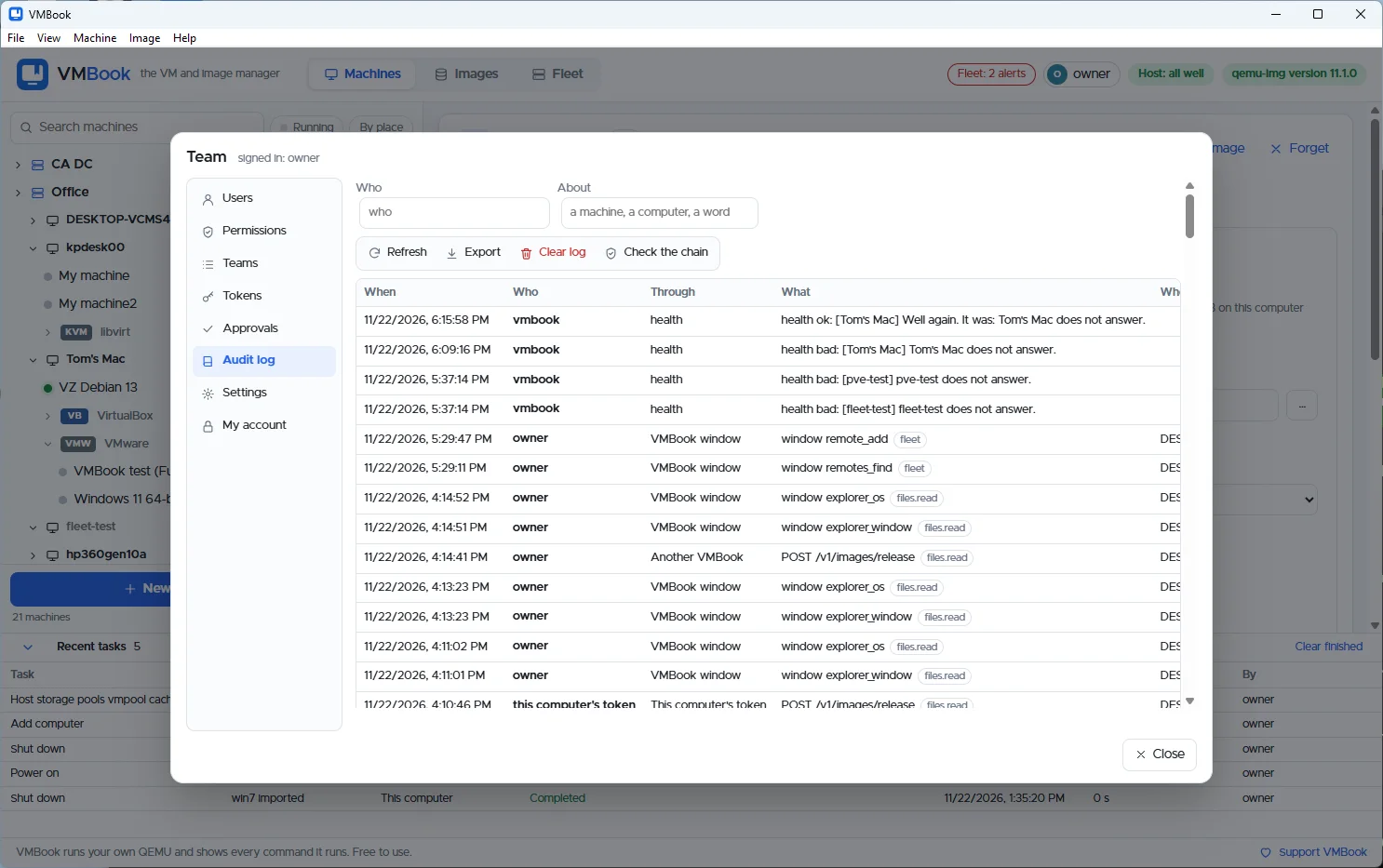
Real capture · identity, decision and result belong in the same evidence trail.
Outcome evidence
Acceptance is not completion.
Retain actor, target, reason, decision, request identity and observed result. After a mutation, re-read authoritative state and verify the guest or application separately.
Look for
Actor, target, correlation, result and timestamp
Do not infer
That an audit row makes an unsafe operation reversible
Interactive UI simulation · no infrastructure connected
Operate the model, not a hidden server.
Select a machine and try a lifecycle action. The browser simulates capability lookup, authorization, command preview, execution and audit so the operating model is visible without pretending this is a live production system.
▣ VMBookDEMO MODE · LOCAL DATA
Chicago Lab / qemu-01 / QEMU
web-01
Running
ProviderQEMU
vCPU4
Memory8 GB
Identityqemu/web-01
READY
Select a machine, then choose an action.
Identity: computer and provider resolved
Capability: waiting
Authority: waiting
Outcome: waiting
No command has been prepared.
Evidence ladder
A screenshot is the beginning of proof.
01
Captured
The interface existed in a named build. It does not prove every path behind it.
02
Implemented
The code path exists, with provider and failure boundaries documented.
03
Tested
A named host, provider, guest and operation produced a recorded result.
04
Published
A signed artifact and its exact limits are available through the release channel.
What this tour proves
Real screens, real operating model.
The product presents sites, computers, providers and machines as separate identities.
Fleet, host, machine, Team and audit interfaces exist in the current development record.
The site can connect every visible claim to deeper technical documentation.
What it does not prove
No hidden production claim.
No signed public installer is implied.
No universal provider parity or production SLA is implied.
No automatic HA, quorum, fencing or distributed storage is created by this tour.